Mini program operation mechanism
1.Mini Program Life Cycle
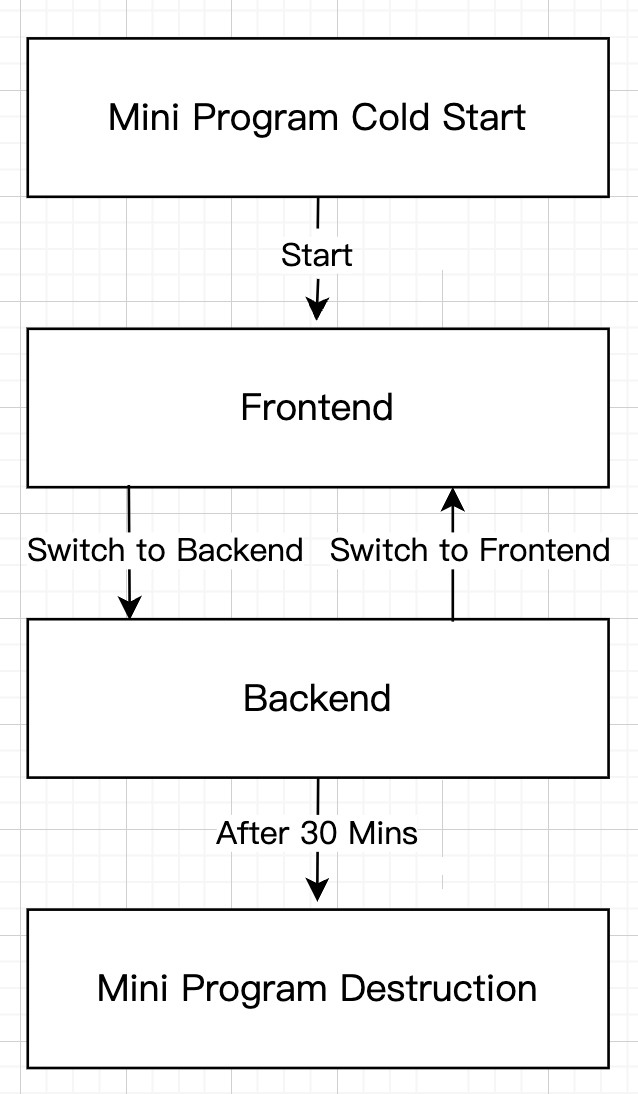
From startup to final destruction, the mini program will go through multiple states, and behave differently in different states.
1.1Mini Program Startup
There are two situations for mini programs, one is cold start and the other is hot start;
- Hot start: refers to the process of switching the mini program running in the background to the foreground when the user wants to reopen the opened mini program after a certain period of time.
- Cold start: When the user opens the mini program for the first time or reopens the mini program after it is actively destroyed by the host application, the mini program needs to be reloaded and started, that is, cold start.
1.2Foreground/background status
After the mini program is started, the user can directly see the interface of the mini program, and the mini program is in the foreground state.
When the user clicks the mini program control button in the upper right corner to "close" the mini program or presses the Home button on the phone to leave the host application, the mini program is not destroyed, but runs in the background. At this time, the mini program can still run for a short period of time, but the use of some APIs will be restricted.
The ways to switch to the background include but are not limited to the following:
- Click the capsule button in the upper right corner to leave the mini program;
- iOS swipe right from the left side of the screen to leave the mini program;
- Android click the back button to leave the mini program;
- When the mini program is running in the foreground, directly switch the host application to the background (gesture or Home button);
- When the mini program is running in the foreground, directly lock the screen
When the user enters the client again and opens the mini program, the mini program will run from the background to the foreground.
1.3Mini program destruction mechanism
If the user has not used the mini program for a long time, or the system resources are tight, the mini program will be "destroyed", that is, it will completely terminate its operation. Specifically, it includes the following situations:
- When the mini program enters the background and is "suspended", if it does not enter the foreground again for a long time (currently 30 minutes), the mini program will be destroyed.
- When the mini program occupies too many system resources, it may be destroyed by the system or actively recycled by the host application.
- On the iOS system, when the host application receives a system memory alarm continuously within a certain time interval, it will actively destroy the mini program according to a certain strategy, and prompt the user that the running memory is insufficient, please reopen the mini program.
Specific strategies will continue to be adjusted and optimized.
2.Mini Program Opening Logic
2.1Cold Start Opening Page
When the Mini Program is cold started, the page opened has the following conditions;
- If the scene started does not have a path, it will enter the homepage;
- If the scene started has a path, it will start to enter the page corresponding to the path.
2.2Hot Start Opening Page
When the Mini Program is hot started, the page opened has the following conditions;
- If the scene started does not have a path, the last browsing status is retained;
- If the scene started has a path, it will start to enter the page corresponding to the path.