Other Notes
Mini program code reinforcement capability
Function introduction
In order to improve the ecological security of the platform, the platform will provide a code reinforcement function to encrypt the front-end code of the mini program to prevent code exposure and increase the difficulty for attackers to read the front-end code logic. At the same time, developers should also pay attention to the rigor of their own development specifications to ensure the code quality of the mini program and protect the security of the mini program. Mini program code reinforcement is a function provided to developers to encrypt the front-end code of the mini program to prevent code exposure.
Introduction
The code reinforcement function can pass JavaScript files to encryption tools to implement string encryption, attribute encryption, call conversion, code obfuscation and other protection measures. It is recommended that sensitive data information (similar to sdk keys, etc.), core algorithm logic, version content and other content that needs to be protected in the mini program can be reinforced.
Usage process
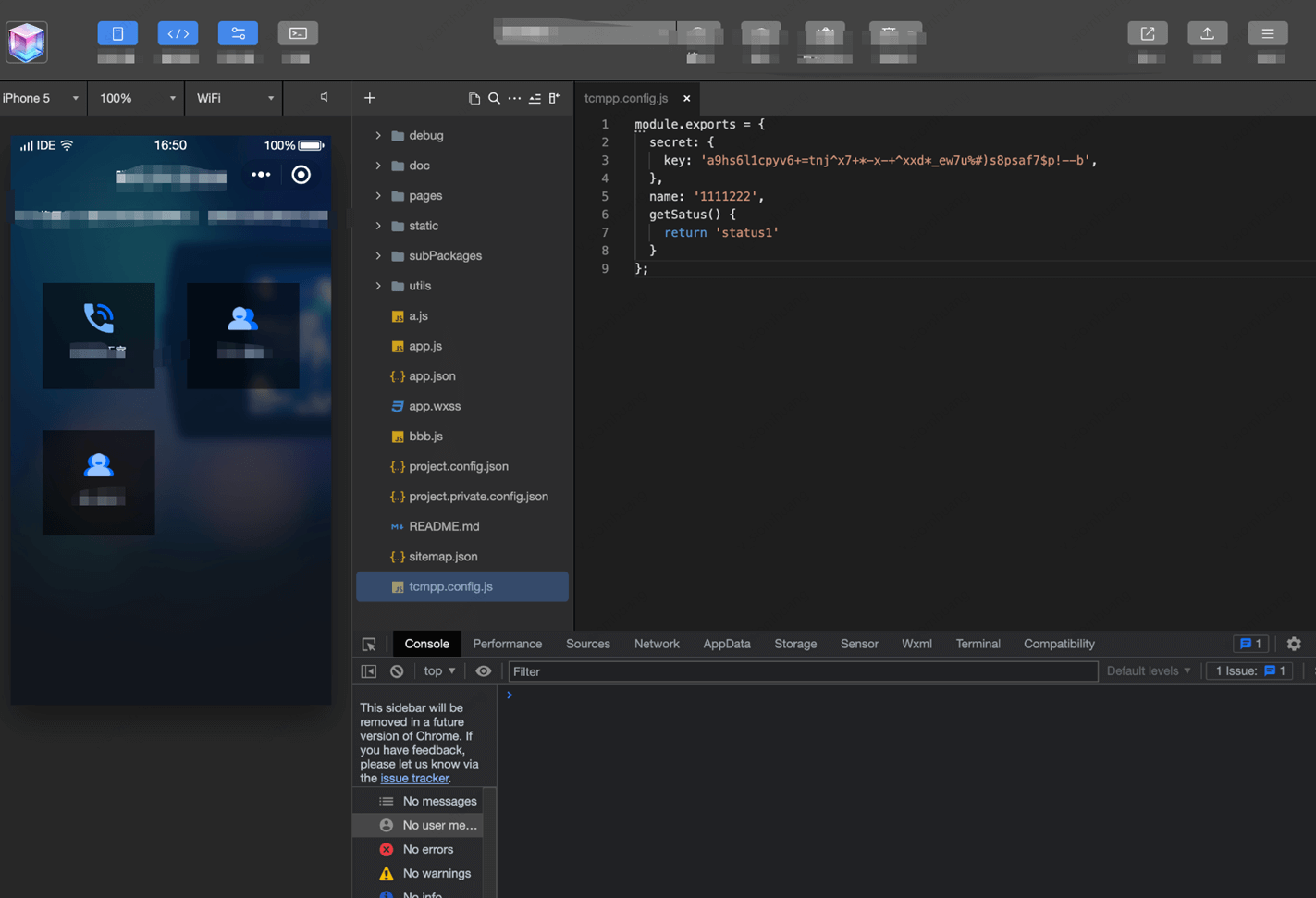
1.Create a tcmpp.config.js file in the directory at the same level as app.json in the mini program project. You can write some sensitive data information or core algorithms and other methods into this js for export and use. During the compilation stage, tcmpp.config.js will be obfuscated and encrypted:
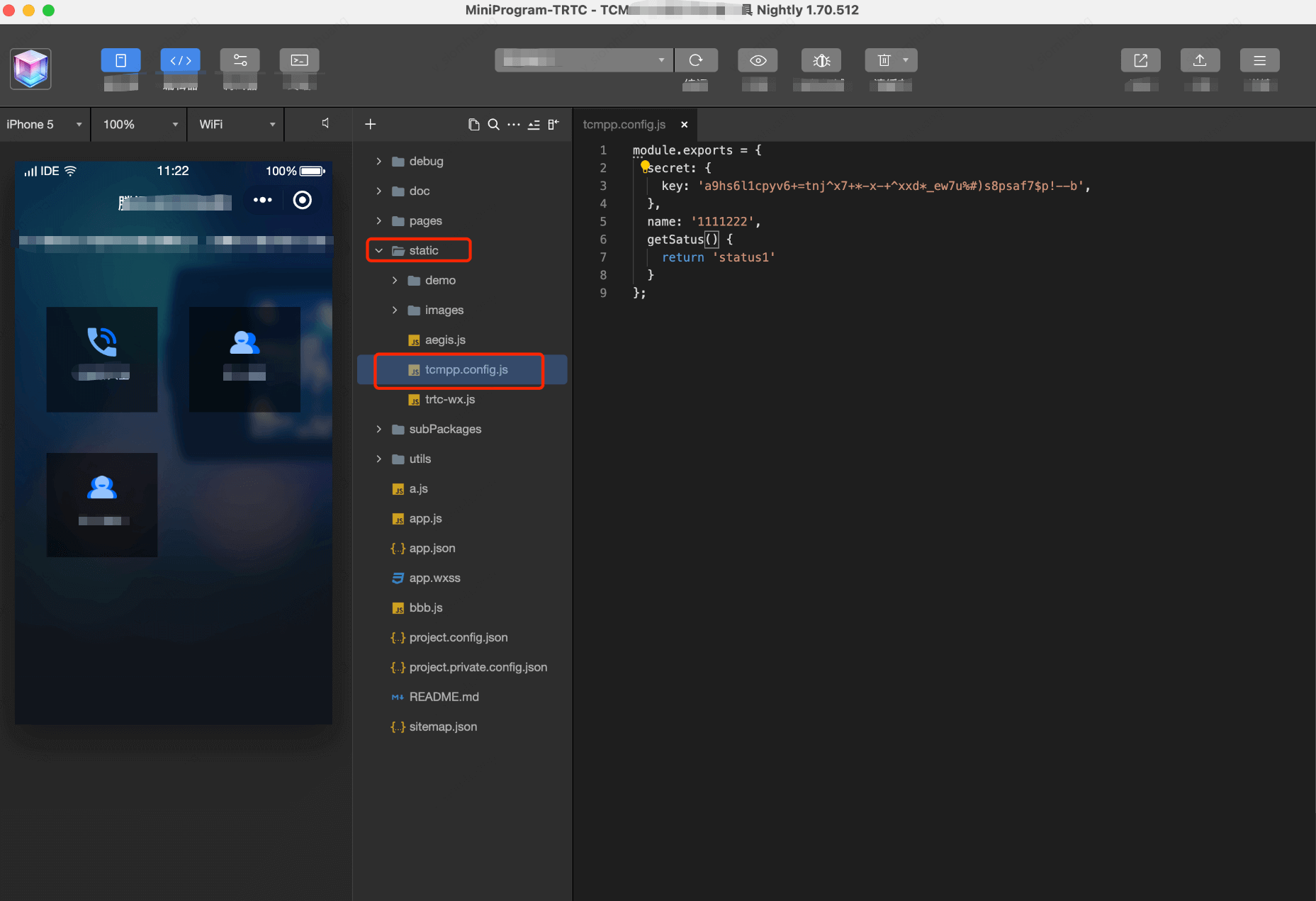
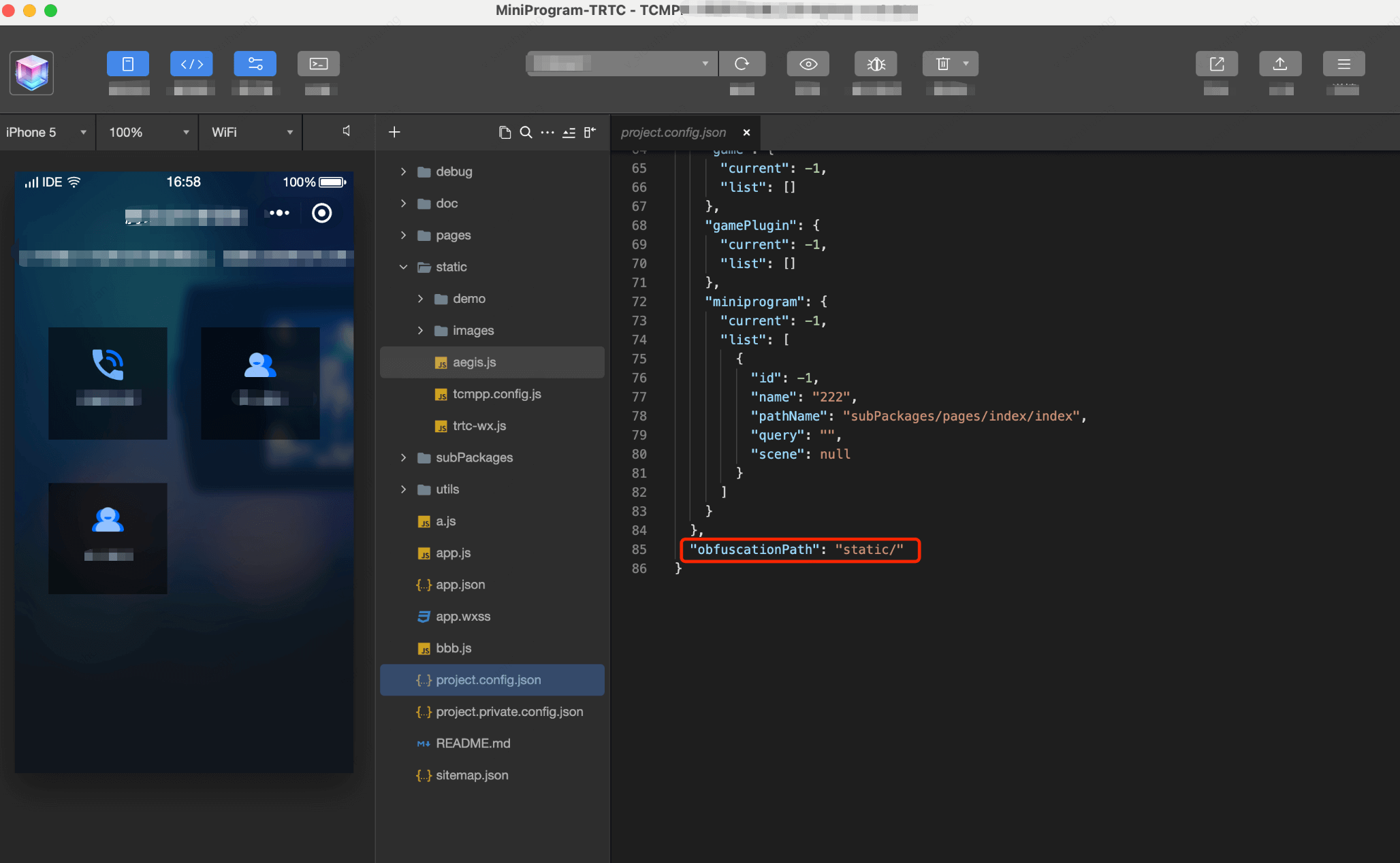
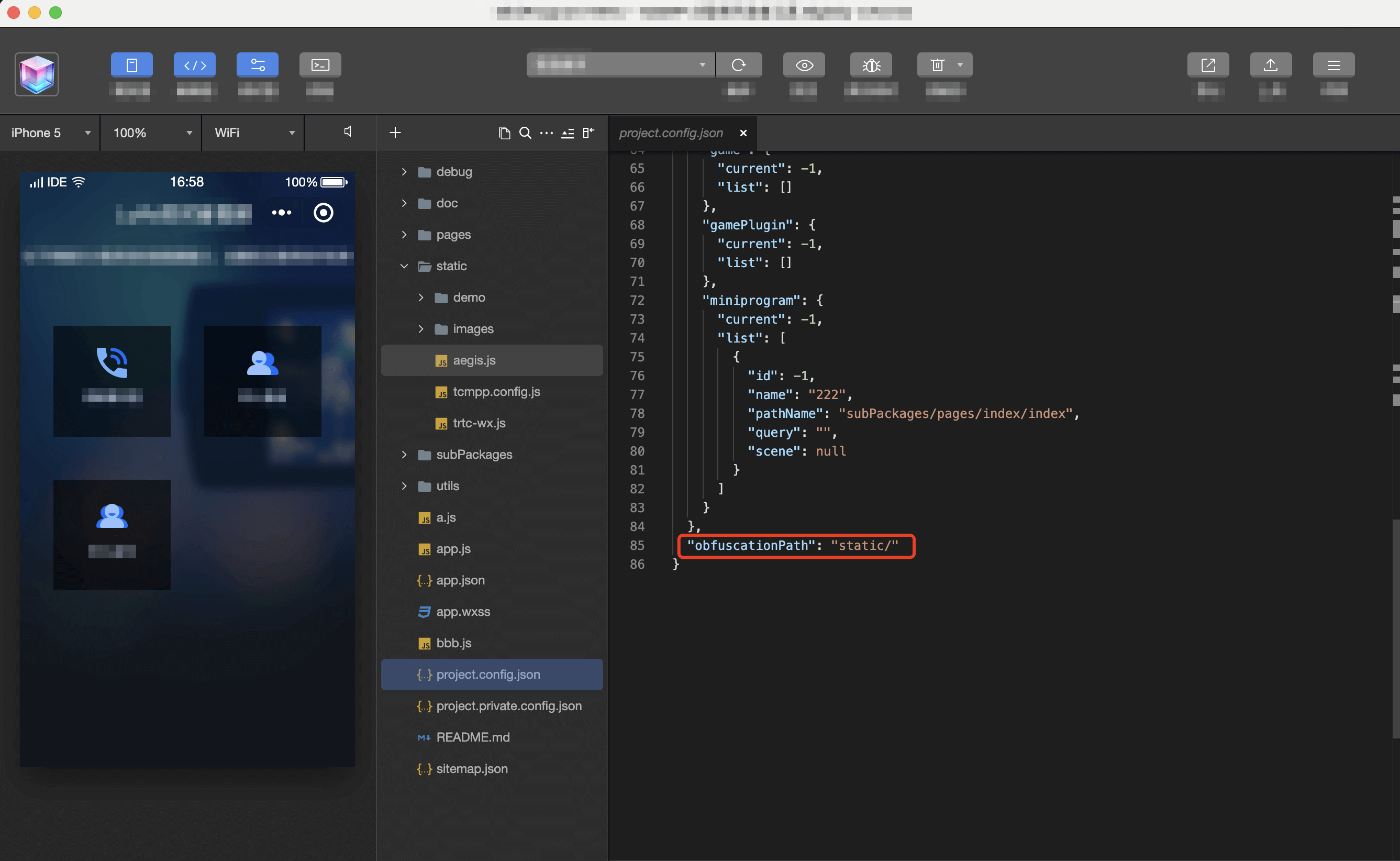
2.If you need to modify the directory where the tcmpp.config.js file is located, such as putting this file in a directory like static, you can configure the directory path where tcmpp.config.js is located in the obfuscationPath field in project.config.json. If the obfuscationPath field is not configured or configured as an empty string, the default search will be tcmpp.config.js in the directory at the same level as app.json.
3.obfuscationPath configuration obfuscationPath field is the directory path where Tcmpp.config.js is located:
Taro project applet code hardening support
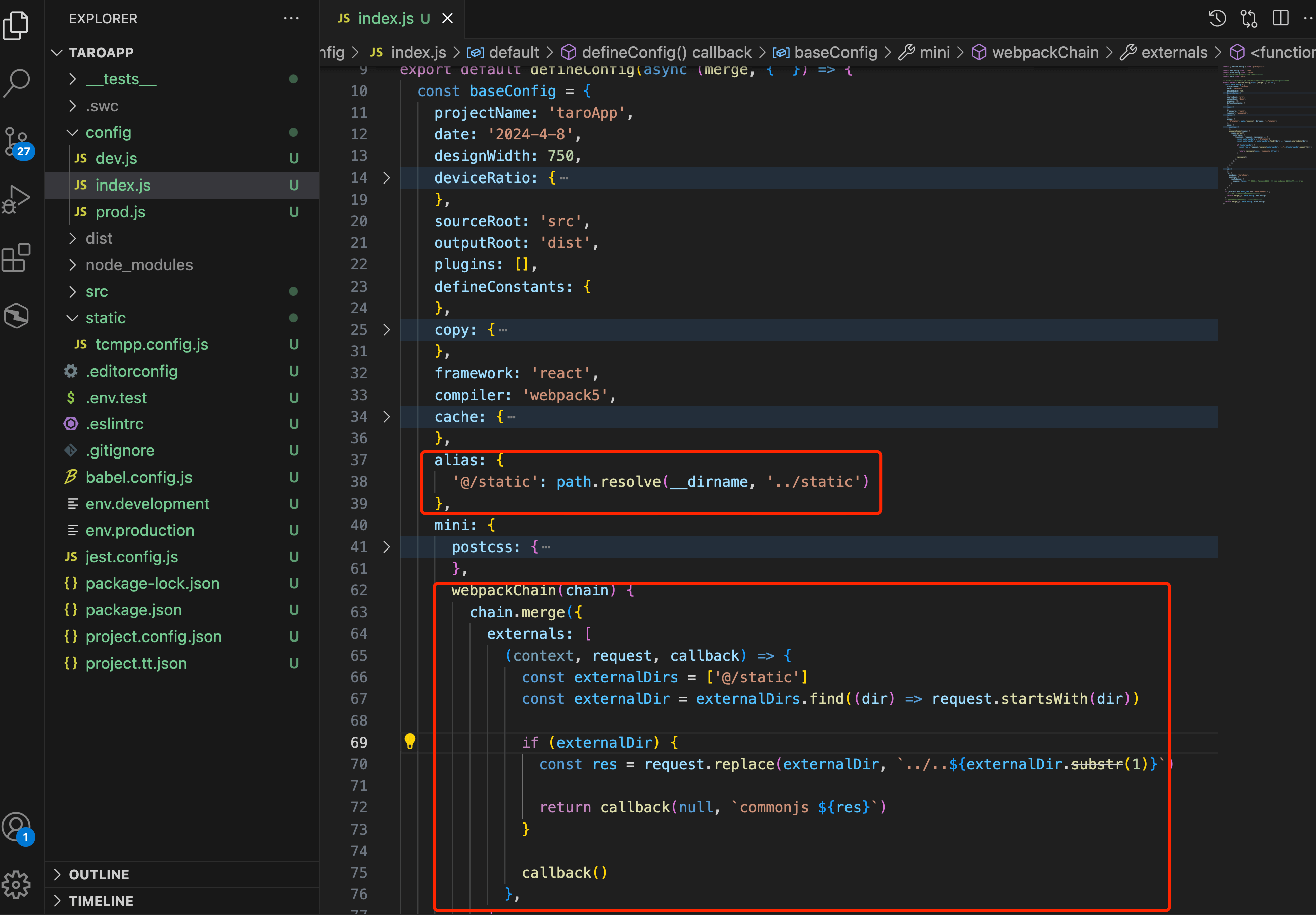
1.In the taro applet, Tcmpp.config.js needs to be packaged as an external native public js module, and Tcmpp.config.js needs to be written in the way of writing applet js code, that is, export it using module.exports to ensure that after taro packaging, Tcmpp.config.js is not packaged into the taro product, but a separate Tcmpp.config.js file exists in dist, so that code obfuscation encryption can be performed during the compilation phase of Luffa Cloud's IDE. Therefore, it is necessary to configure Tcmpp.config.js in combination with the externals configured in the taro project. You can viewTaro project references native project JS files.
2.Hello world project configuration example:
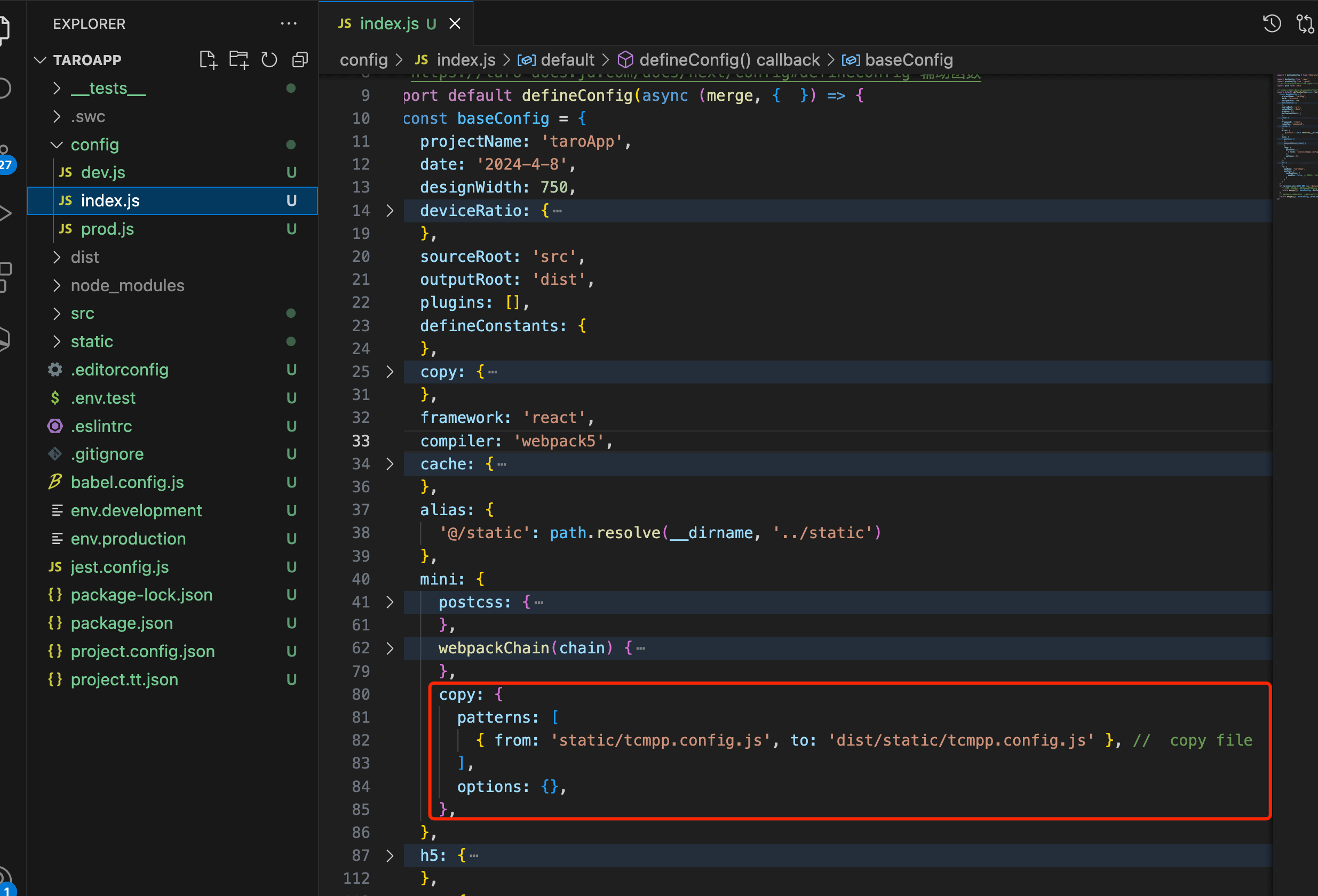
- Configure taro packaging, set alias for the static directory, and set externals related configuration:
3.Put Tcmpp.config.js in the static directory at the same level as pages, and use the content exported by Tcmpp.config.js in the project pages/index/index.jsx:
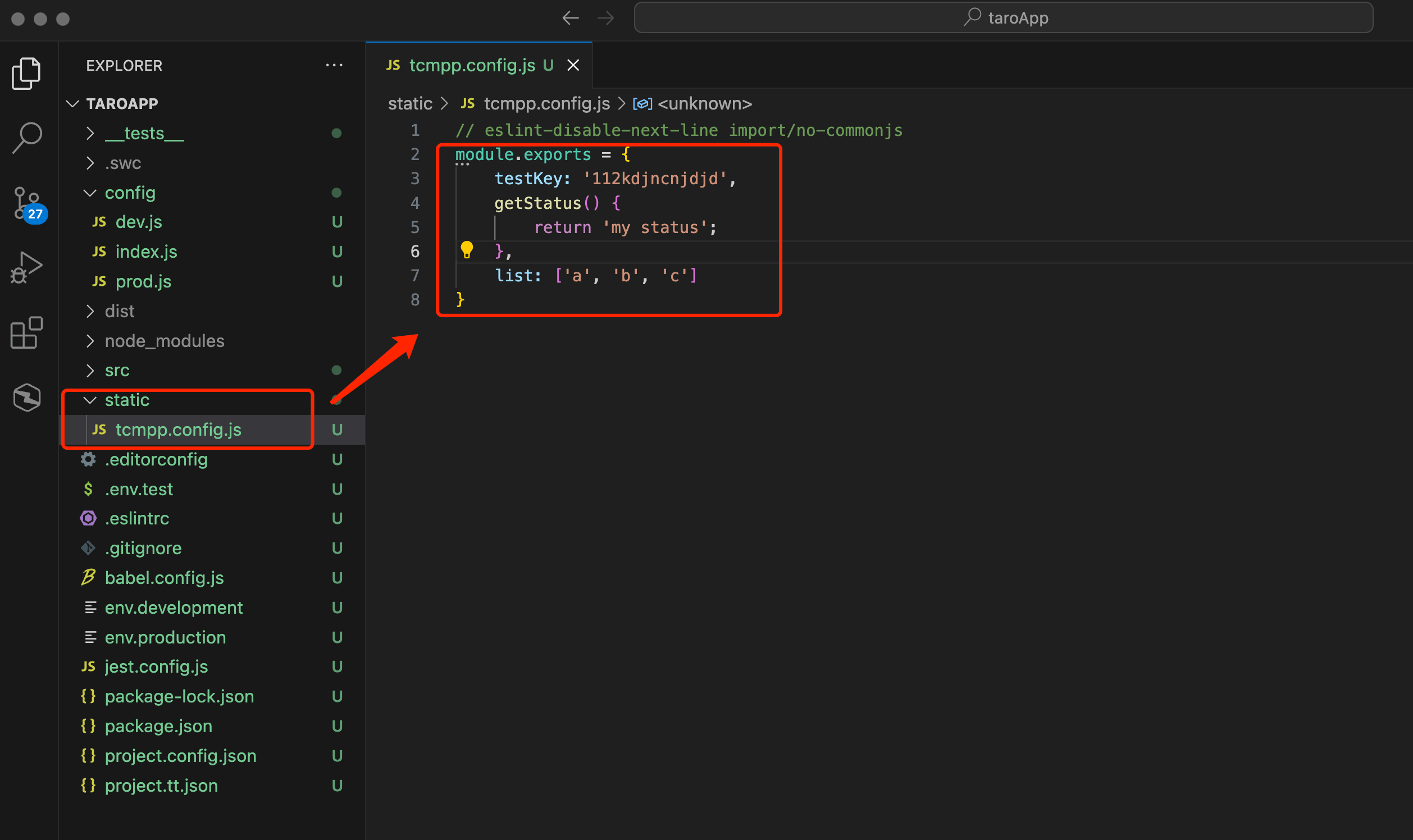
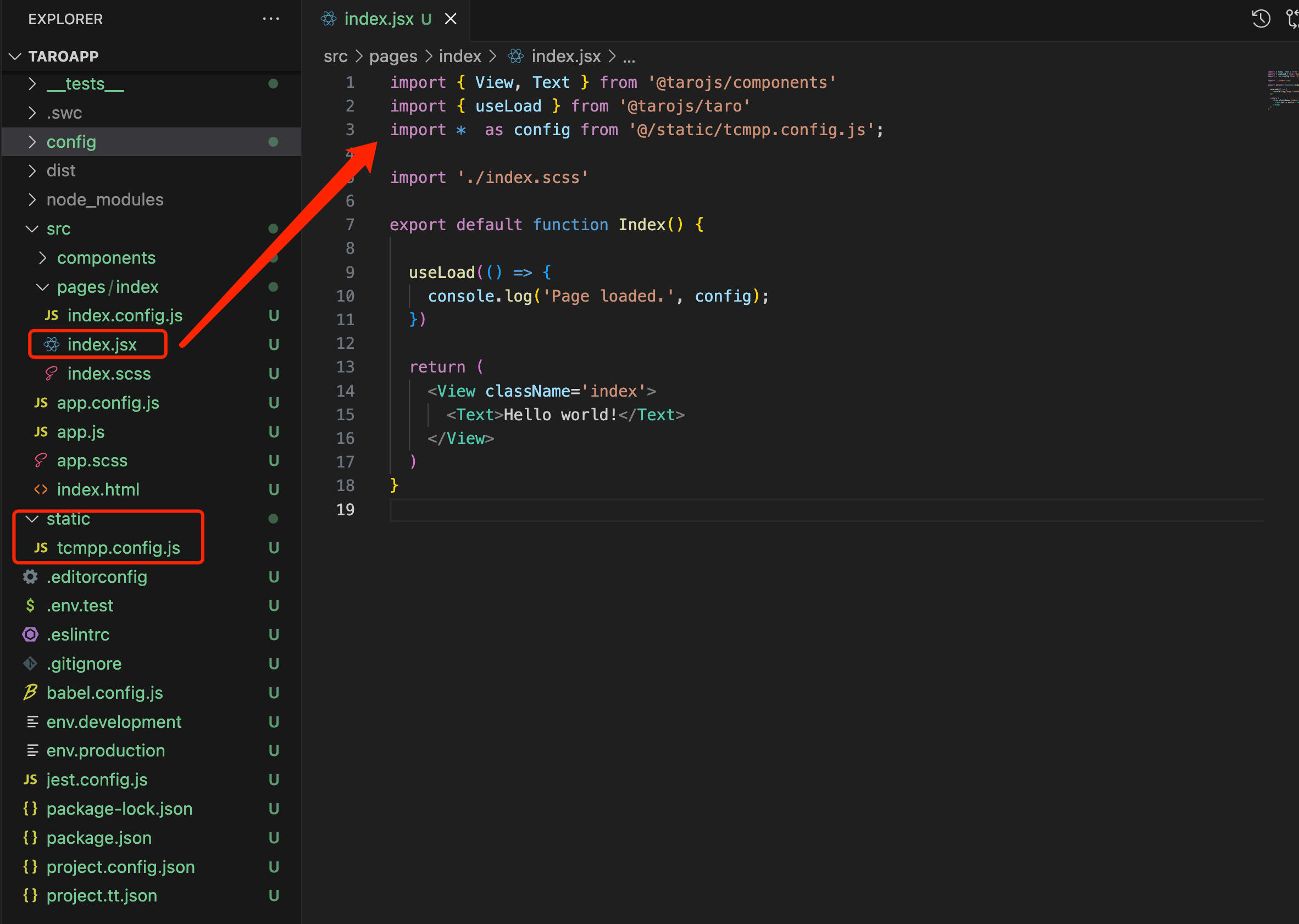
4.Since Tcmpp.config.js is not packaged into the taro product, it needs to be manually copied to the product dist directory through webpack configuration:
5.Finally, remember to configure the obfuscationPath field in project.config.json to the directory path where Tcmpp.config.js is located so that the IDE can find this file for obfuscation encryption.
uni-app project applet code reinforcement support
1.uni-app provides a static directory, which will be copied to the final compiled package as a whole, which can be viewed uni-app's static directory . Therefore, Tcmpp.config.js also needs to be placed in the static directory, and the content needs to be exported using the module.exports method.
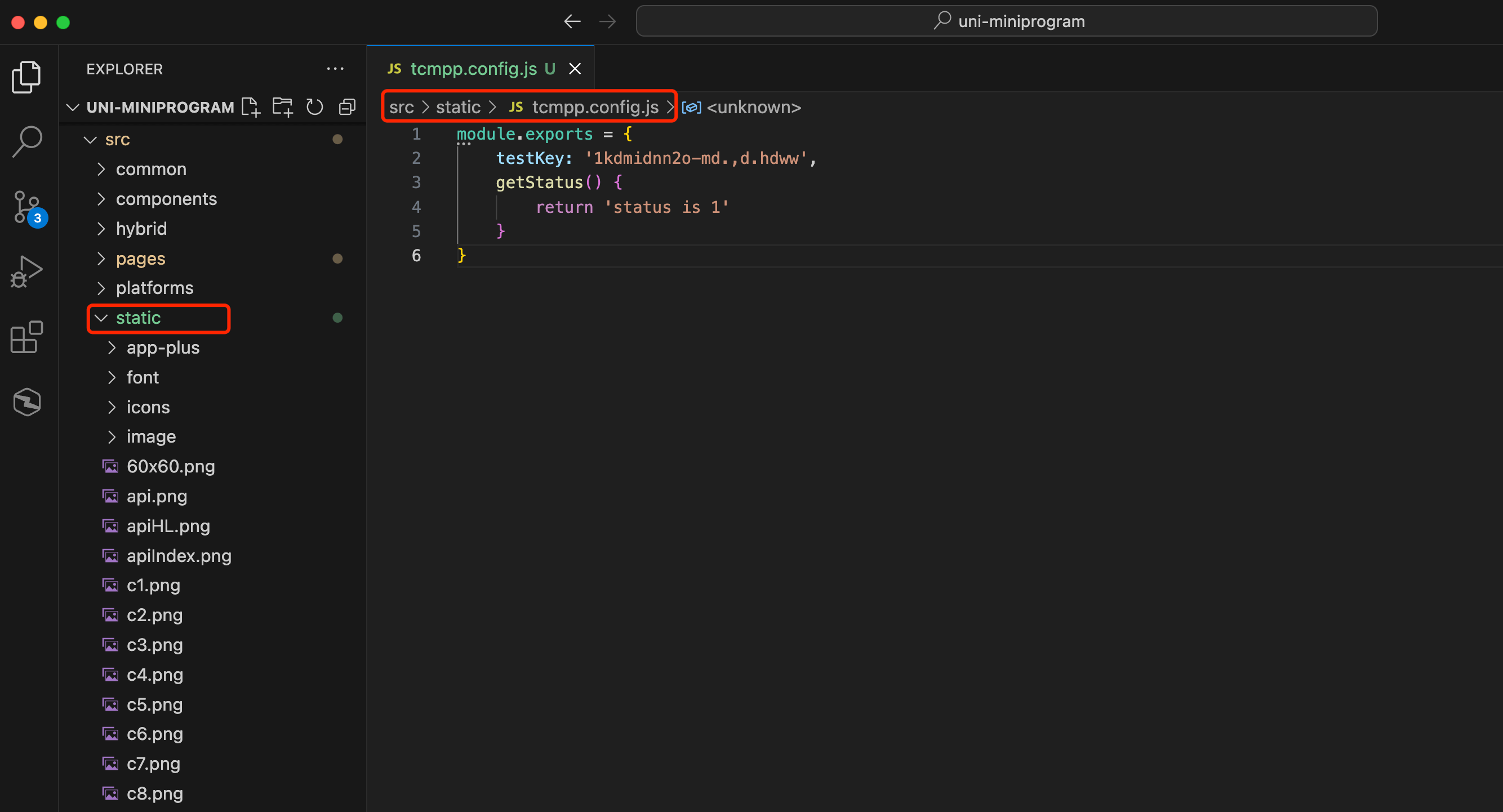
2.In project.config.json, configure the obfuscationPath field to the static directory path where Tcmpp.config.js is located so that the IDE can find this file for obfuscation encryption.
Using Google Maps in IDE
Function Introduction
If Google Map related functions are involved in the development of mini-program business, and you want to preview it in the IDE during the development phase, you need to configure the Google JavaScript API key in the project, such as when using the map component or related APIs:
- Component
<map type='google' ...></map>- API
wx.openLocation({
  type: 'google',
  ...
})

wx.chooseLocation({
  type: 'google',
  ...
})
Introduction
Considering that the user's mini-program business key will use code reinforcement capabilities, in order to facilitate users to manage keys uniformly, the Google JavaScript API key needs to be configured in the Tcmpp.config.js file. Since the key is only used for IDE preview in the development phase, it is configured in the form of comments, and finally the mini-program will be filtered when it is compiled and packaged.
Usage Process
1.The process of creating the Tcmpp.config.js file is the same as that of code reinforcement. Please refer to the usage process of the mini-program code reinforcement capability.
2.Use comments to configure the Google JavaScript API key. The key keyword in the comment must be googleMapApiKey and the key must be wrapped in []. Otherwise, the key reading will fail. The format is as follows:
//googleMapApiKey[xxxxxxxxxxxxxxxxxxxxxxxxxxxx]3.After editing the googleMapApiKey of the Tcmpp.config.js file in the IDE, since the Google JavaScript API script needs to be re-injected, please close the current project and reopen it. The IDE will also give a corresponding pop-up window prompt: Google Maps Warning: The Google Maps key has been updated, please close the project and reopen it to initialize.
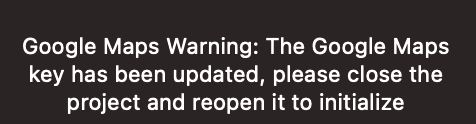
4.If you see the following prompt in the IDE Console after configuration, it means that the googleMapApiKey configuration has not taken effect. Please check whether the configuration follows the relevant format.

If you see the following error in the IDE Console after configuration, it means that the key verification failed. Please check whether the correct Google JavaScript API Key is configured.
