Javascript Script
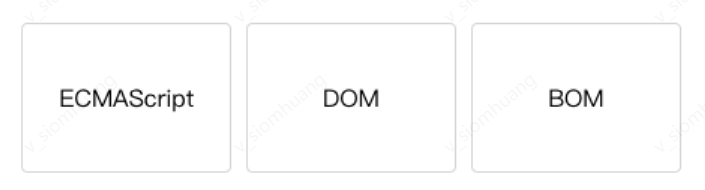
ECMAScript

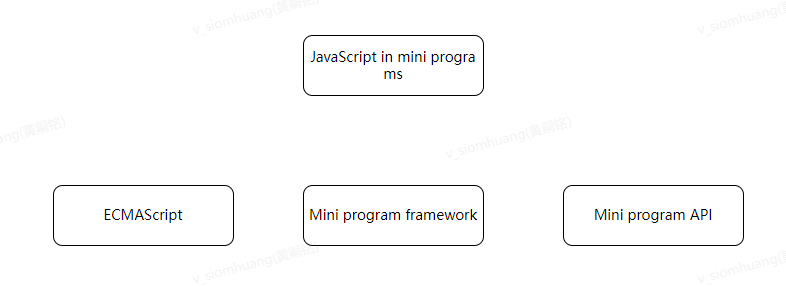
Mini Program Execution Environment
- iOS platform, including iOS9, iOS10, and iOS11
- Android platform
- Mini Program IDE
- Arrow function
- let const
- Template string
- ...
Developers need to check ES6 to ES5 in the project settings to enable this feature.
modular
In the browser, all JavaScript runs in the same scope, and the defined parameters or methods can be accessed or rewritten by the scripts loaded later. Unlike the browser, any JavaScript file can be used as a module in the mini program, and the interface can be exposed externally through module.exports or exports.
Please see this is a simple module example. B.js references module A and uses the multiplyBy2 method exposed by A to complete the operation of multiplying a variable by 2, as shown in the following code:
// moduleA.js
module.exports = function( value ){
  return value * 2;
}// B.js
//Reference module A in B.js
var multiplyBy2 = require('./moduleA')
var result = multiplyBy2(4)The following code uses require(path) to introduce the common code in the file where these modules are needed:
var common = require('common.js')
Page({
  helloMINA: function() {
    common.sayHello('MINA')
  },
  goodbyeMINA: function() {
    common.sayGoodbye('MINA')
  }
})
Script execution order
In the browser, the script is strictly executed in the order of loading, as shown in the following code:
<html>
<head>
  <!-- a.js
  console.log('a.js')
   -->
  <script src ="a.js"></script>
  <script>
    console.log('inline script')
  </script>

  <!-- b.js
  console.log('b.js')
   -->
  <script src ="b.js"></script>
</head>
</html>
The output of the above code is:
a.js
inline script
b.js
However, the script execution order in the mini program is different. The entry file for the mini program is app.js, and the order of file execution will be determined according to the order of the modules required in it. The following code is an app.js example.
/* a.js
console.log('a.js')
*/
var a = require('./a.js')
console.log('app.js')

/* b.js
console.log('b.js')
*/
var b = require('./b.js')
The output order of the above code is:
a.js
app.js
b.js
When app.js is executed, the mini program will be executed one by one in the order of pages defined by the developer in app.json, as shown in the following code:
{
  "pages": [
    "pages/index/index",
    "pages/log/log",
    "pages/result/result"
  ],
  "window": {}
}// app.js
console.log('app.js')// pages/index/index
console.log('pages/index/index')// pages/log/log
console.log('pages/log/log')// pages/result/result
console.log('pages/result/result')The output results after the above file is executed are as follows:
app.js
pages/index/index
pages/log/log
pages/result/result
Scope
Different from the script files running in the browser, the scope of the mini program script is more similar to NodeJS.
Variables and functions declared in a file are only valid in that file. Variables and functions with the same name can be declared in different files without affecting each other, as shown in the following code:
// a.js
//Define local variables
var localValue = 'a'// b.js
// b.js cannot access the variables defined in a.js file:
//Define local variable console.log (localValue) //An error triggered: b.js cannot access the variables defined in a.jsWhen global variables are needed, use the global function getApp() to get the global instance and set the relevant property values
// a.js
//Access global variable
var global = getApp()
global.globalValue = 'globalValue'// b.js
//Access global variable
var global = getApp()
console.log(global.globalValue)
// Output globalValueIt should be noted that the above example is only valid if a.js is executed before b.js. When it is necessary to ensure that global data can be safely used in any file, it can be set in App(), as shown in the following code:
// app.js
App({
  globalData: 1
})// a.js
//Local variable
var localValue = 'a'
//Get global variable
var app = getApp()
//Modify global variable
app.globalData++ // The value of globalData is 2 after execution// b.js
//Define other local variables, which will not affect the variables in a.js
var localValue = 'b'
// If a.js is executed first, the value outputted should be 2
console.log(getApp().globalData)