Json Configuration
JSON is a data format, not a programming language. In mini programs, JSON plays the role of static configuration.
An example
Let's take a look at an example. Open the editor of the development tool. You can find the app.json file in the root directory. Double-click to open it. The code of the app.json file in this chapter is as follows:
js
{
  "pages":[
    "pages/index/index",
    "pages/logs/logs"
  ],
  "window":{
    "backgroundTextStyle":"light",
    "navigationBarBackgroundColor": "#fff",
    "navigationBarTitleText": "WeChat",
    "navigationBarTextStyle":"black"
  }
}
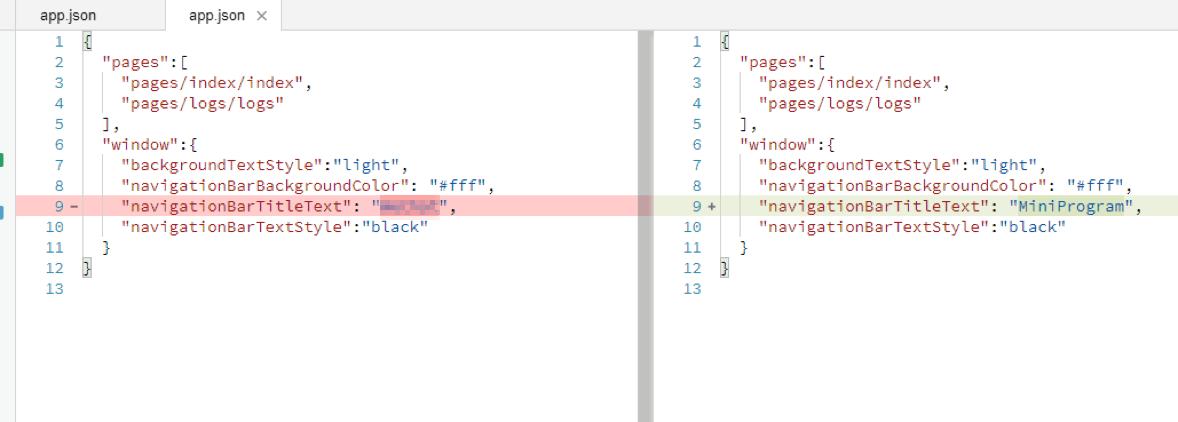
Try to modify the 9th line to 'navigationBarTitleText': 'MiniProgram', as shown in the figure below.
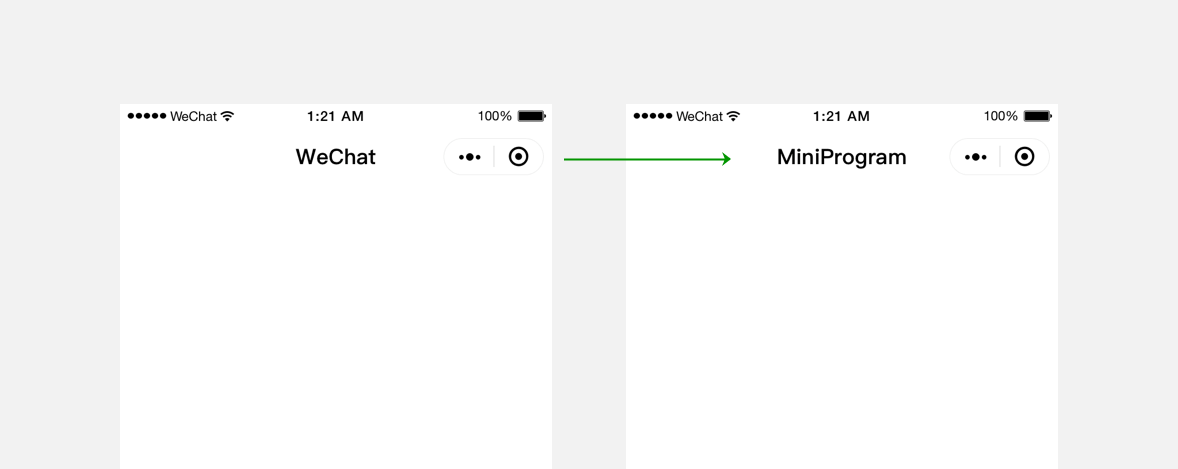
Save the code. After the developer tool automatically refreshes, notice that the text field of the bar at the top of the simulator changes from Wechat to MiniProgram.
The JSON file plays the role of static configuration in the mini program code. It determines some performance of the mini program before the mini program runs. It should be noted that the mini program cannot dynamically update the JSON configuration file during operation to make corresponding changes.
JSON Syntax
Compared with XML, the biggest advantage of the JSON format is that it is easy for people to read and write. Usually, no special tools are required to understand and modify it. It is a lightweight data exchange format.
JSON files are wrapped in curly braces {} and express data in a key-value manner.
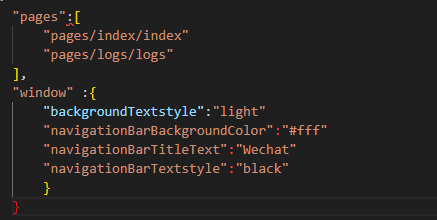
It looks very similar to the object expression of JavaScript, but it is different.
The key of JSON must be wrapped in double quotes. In practice, when writing JSON, it is a common mistake to forget to add double quotes to the key value or write double quotes as single quotes.
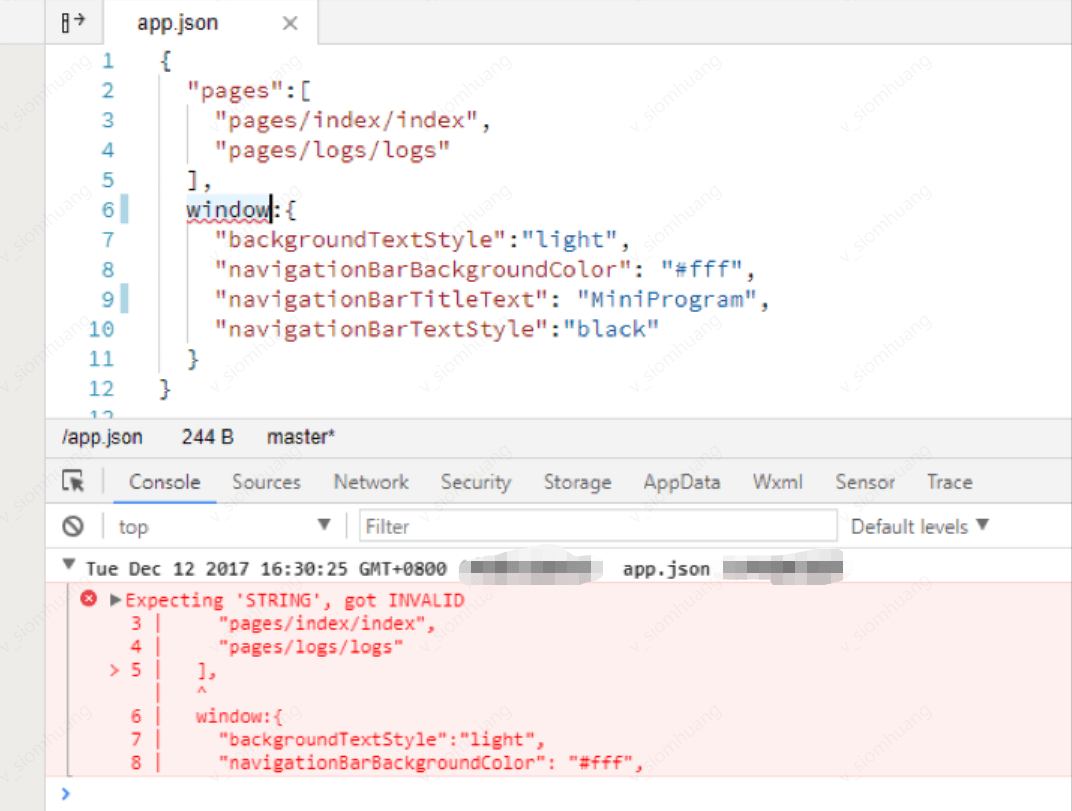
The value of JSON can only be in the following data formats:
1.Numbers, including floating point numbers and integers;
2.Strings, which need to be wrapped in double quotes;
3.Bool values, true or false;
4.Arrays, which need to be wrapped in square brackets [];
5.Objects need to be wrapped in curly braces {};
6.Null
Any other format will trigger an error, such as undefined in JavaScript.
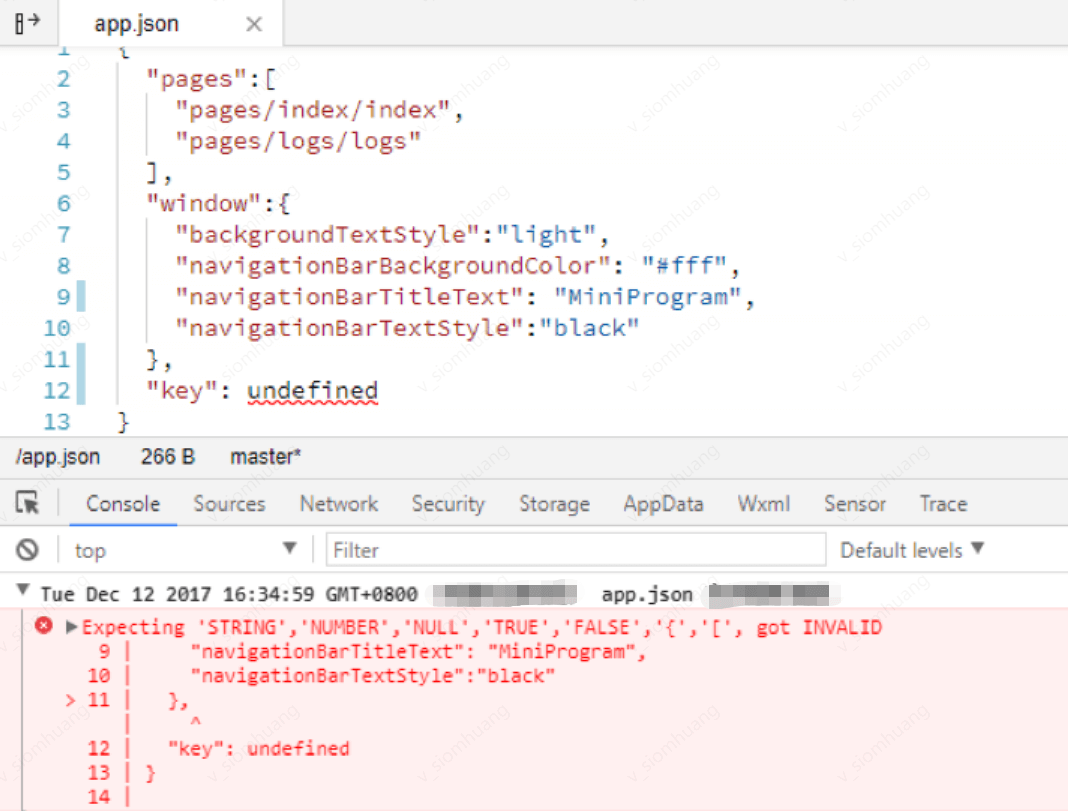
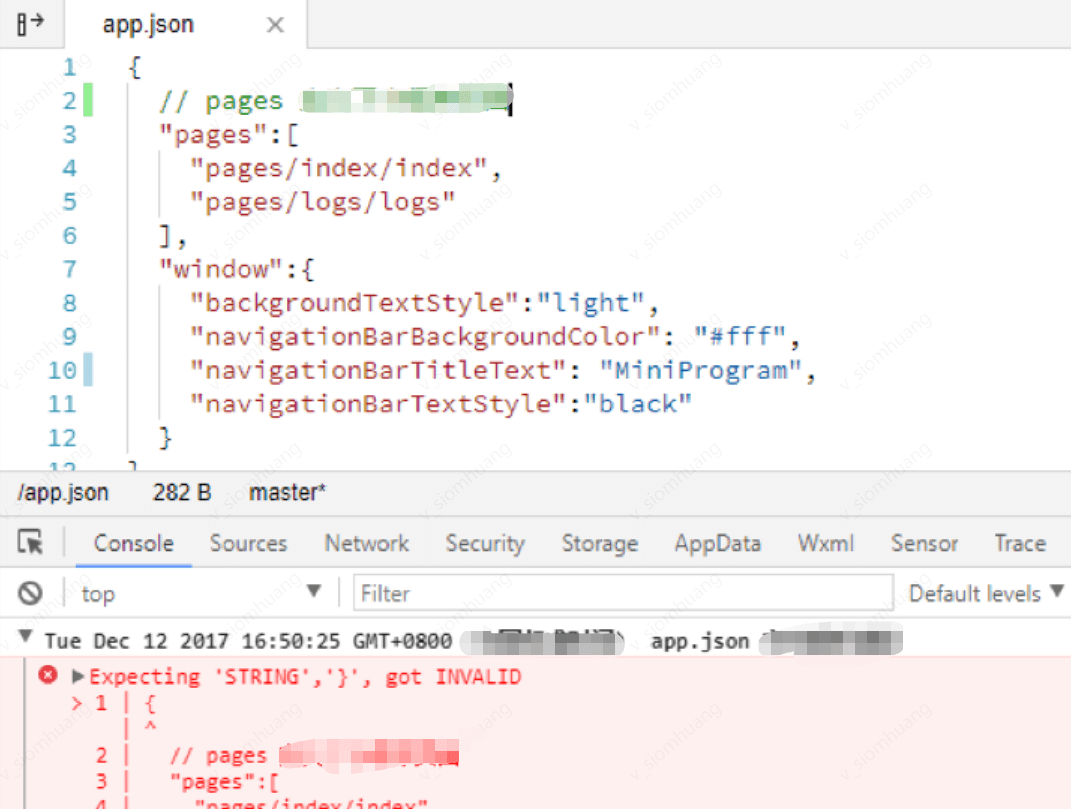
It is also important to note that comments cannot be used in JSON files. Trying to add comments will trigger an error.