Engine Adaptation
Support
Games are a JavaScript runtime environment that is different from browsers, and do not have BOM and DOM APIs. However, basically all HTML5-based game engines rely on the BOM and DOM APIs provided by browsers. So if you want to use the engine in a mini-game, you need to modify the engine.
Currently, Cocos, Egret, and Laya have completed the adaptation and support of their own engines and tools for mini-games, and the corresponding official documents have introduced the access to mini-game development.
Mini-games are a runtime environment different from browsers
No matter what kind of engine it is, most of the things done when the game is running are to update the screen and play sounds with the user's interaction. The development language of mini-games is JavaScript, so at the bottom of the engine, you need to call the drawing API and audio API through JavaScript.
The APIs that a JavaScript code can call at runtime depend on the host environment. Our most commonly used console.log is not even part of the JavaScript language core, but is provided by the browser, the host environment. Common host environments include browsers, Node.js, etc. The browser has BOM and DOM API, but Node.js does not; Node.js has file and network APIs provided by Node.js core modules such as fs and net, but the browser does not have these modules. For example, the following code that can run normally in the browser will report an error when running in Node.js.
let canvas = document.createElement("canvas");Because the host environment of Node.js does not provide the built-in global variable document at all.
ReferenceError: document is not definedThe running environment of the mini-game is a host environment different from the browser. It does not provide BOM and DOM API, but provides wx API. Through wx API, developers can call the drawing, audio and video, network, file and other capabilities provided by Native.
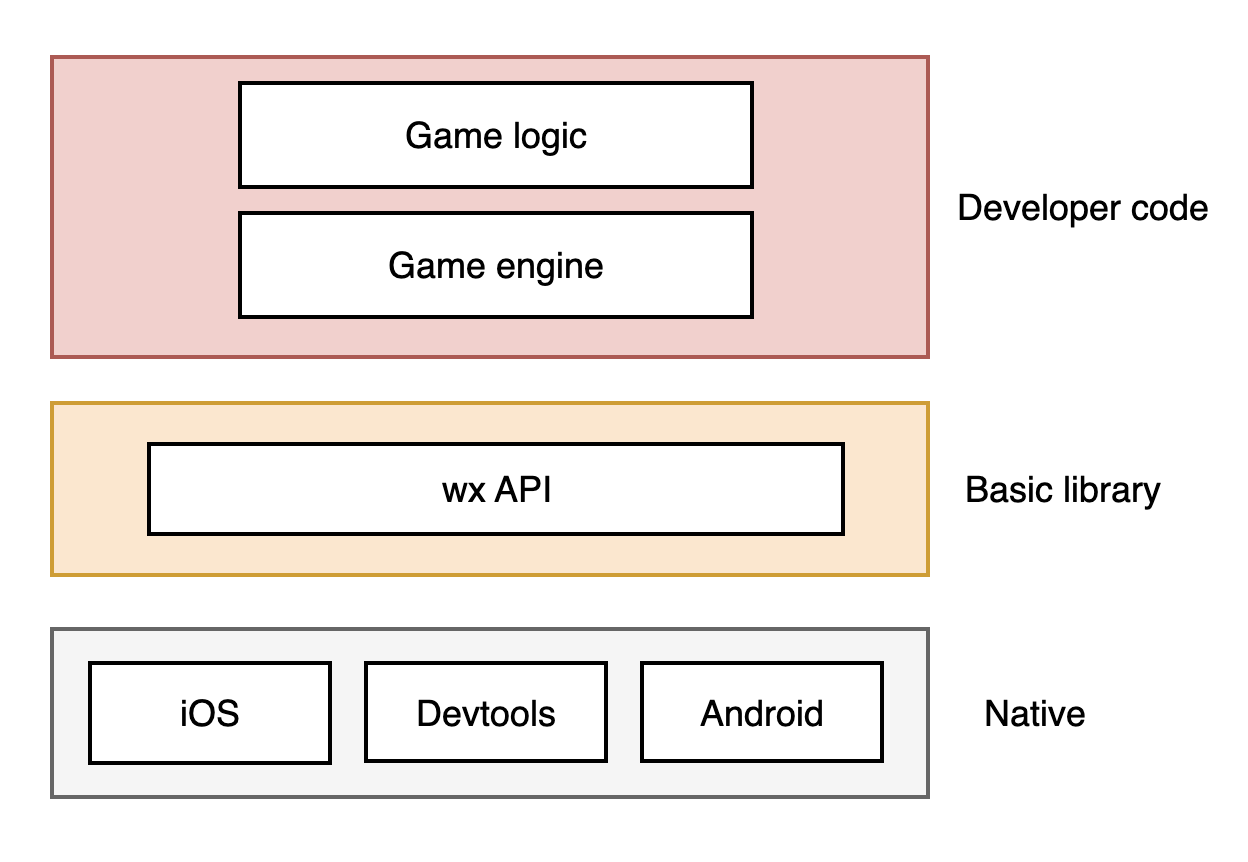
If you want to create a canvas, you need to callwx.createCanvas() :
let canvas = wx.createCanvas();
let context = canvas.getContext("2d");
If you want to create an audio object, you need to callwx.createInnerAudioContext() :
let audio = wx.createInnerAudioContext();
// The src address is for demonstration purposes and does not actually exist
audio.src = "bgm.mp3";
audio.play();
If you want to get the width and height of the screen, you need to callwx.getSystemInfoSync() :
let { screenWidth, screenHeight } = wx.getSystemInfoSync();However, the game engine based on HTML5 will create canvas, audio, and get the width and height of the screen in the following way:
let canvas = document.createElement("canvas");
let audio = document.createElement("audio");
console.log(window.innerWidth);
console.log(window.innerHeight);
At this time, an error will occur. The reason is as mentioned above. The host environment of the mini-game does not provide document and window, two global variables built into the browser. Because the mini-game environment is a host environment different from the browser.
ReferenceError: document is not defined
ReferenceError: window is not defined
Therefore, basically all HTML5-based game engines cannot be directly migrated to mini-games for use, because the engines may use BOM and DOM, which are browser-specific APIs, to a greater or lesser extent. Only by modifying the engine and changing the calls to BOM and DOM APIs to wx APIs can the engine run in the mini-game environment.
In addition to modifying the engine, there is another adaptation method, which is to add an adaptation layer that simulates BOM and DOM APIs between the engine and the game logic code, which we call Adapter. This adaptation layer globally simulates the properties and methods of the window and document objects that the engine will access through the wx API, so that the engine cannot feel the difference in the environment.
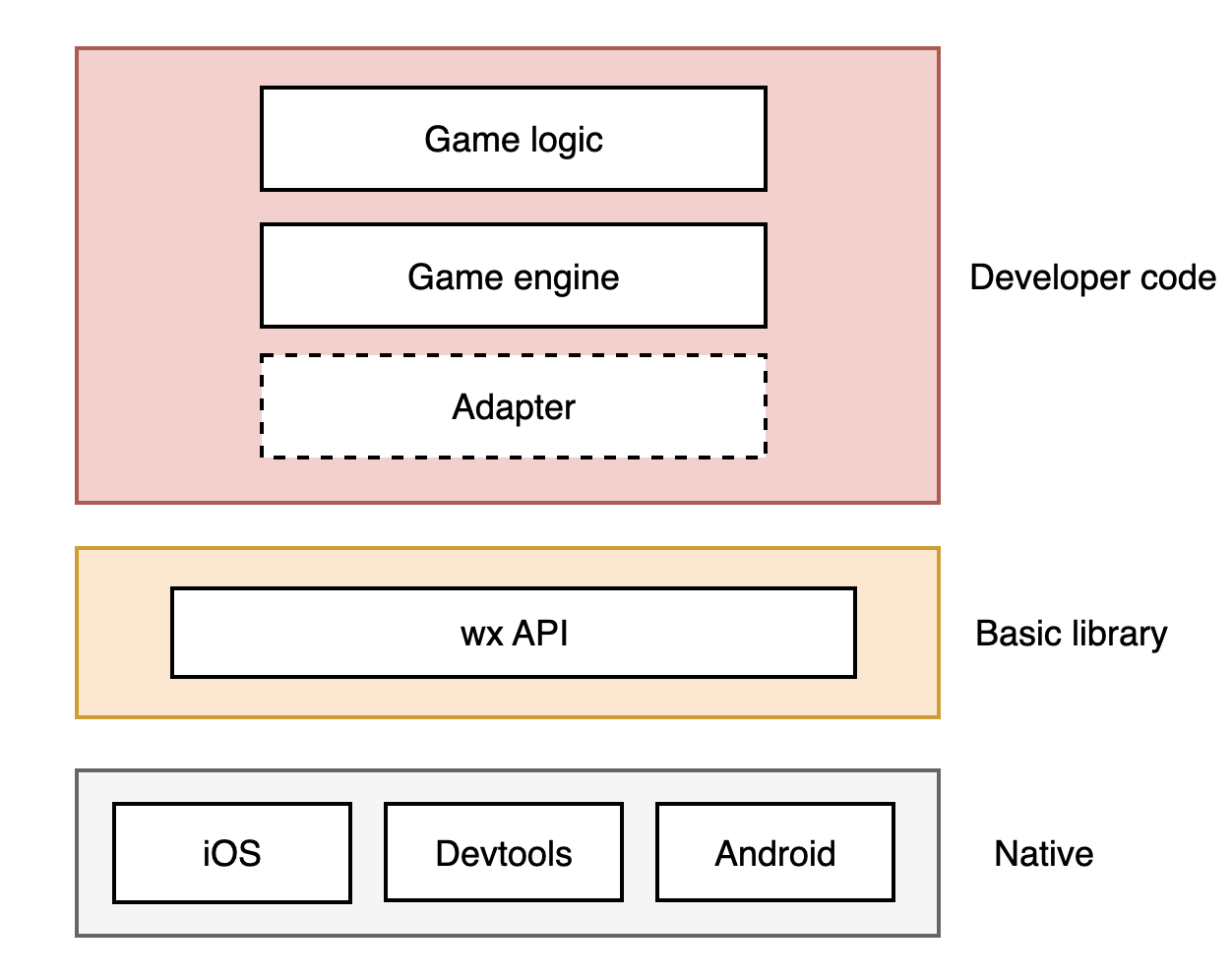
Adapter is user code and is not part of the basic library. For an introduction to Adapter, see the tutorialAdapter
Using other game engines
In addition to the game engines mentioned above that are compatible with the mini-game platform, developers can also use other HTML5 game engines to develop mini-games, but they need to be modified. The modification idea is to first introduce a general Adapter to try running, and then solve the problems encountered one by one.